
Last Updated: November 20, 2026
Quick Summary
A handheld retro emulator is worth it in 2026 if you want to play classic games on a couch, train or plane, since convenience is where these devices win. If you only play at a desk, a free PC emulator costs nothing, so a dedicated device adds little.
- The R36 Ultra costs $69.99 and handles PS1 and N64 titles on a 4-inch IPS screen.
- The R36S is priced at $49.99 with a 3.5-inch IPS display and up to 40,000 games.
- Adding games means copying ROM files onto a microSD card and rescanning the library.
- Legality depends on where the ROM comes from, not on the device itself.
- A preloaded handheld is close to a flat three-year cost with no subscription or per-game fees.
Table of Contents
- What a Handheld Retro Emulator Actually Delivers in 2026
- Best Retro Handheld 2026: Side-by-Side Comparison
- Emulation Performance by Console Generation
- Best Budget Retro Handheld: What You Get Under $60
- How to Add Games to a Retro Handheld
- Retro Handheld Emulator Legality: What Buyers Should Know
- Total Cost of Ownership and Long-Term Reliability
- Choosing the Right Old Arcade Handheld for You
- Frequently Asked Questions
What a Handheld Retro Emulator Actually Delivers in 2026
A handheld retro emulator is a pocket-sized device that runs classic console games through software emulation, letting you play NES, SNES, Game Boy, Genesis and PS1 titles without original hardware or cartridges. These devices have shifted from niche hobby kits to ready-to-play consoles that arrive loaded and boxed. That shift matters: the question is no longer whether emulation works, but whether a dedicated device beats the free emulator already sitting on your PC.
Here's the honest answer. If you want to play on a couch, a train, or a plane, a handheld wins on convenience alone. If you only play at a desk, a PC emulator costs nothing. Below, we break down what these devices deliver in 2026, from emulation performance to total cost of ownership, so you can decide before you spend.
The throughline for this review: most buyers overpay for power they never use and underpay attention to the screen, battery and setup experience that actually determine whether they keep playing.
Best Retro Handheld 2026: Side-by-Side Comparison
The Old Arcade R36 Ultra is a 4" IPS handheld with up to 30,000 preloaded games and enough hardware headroom for PS1 and N64 titles.
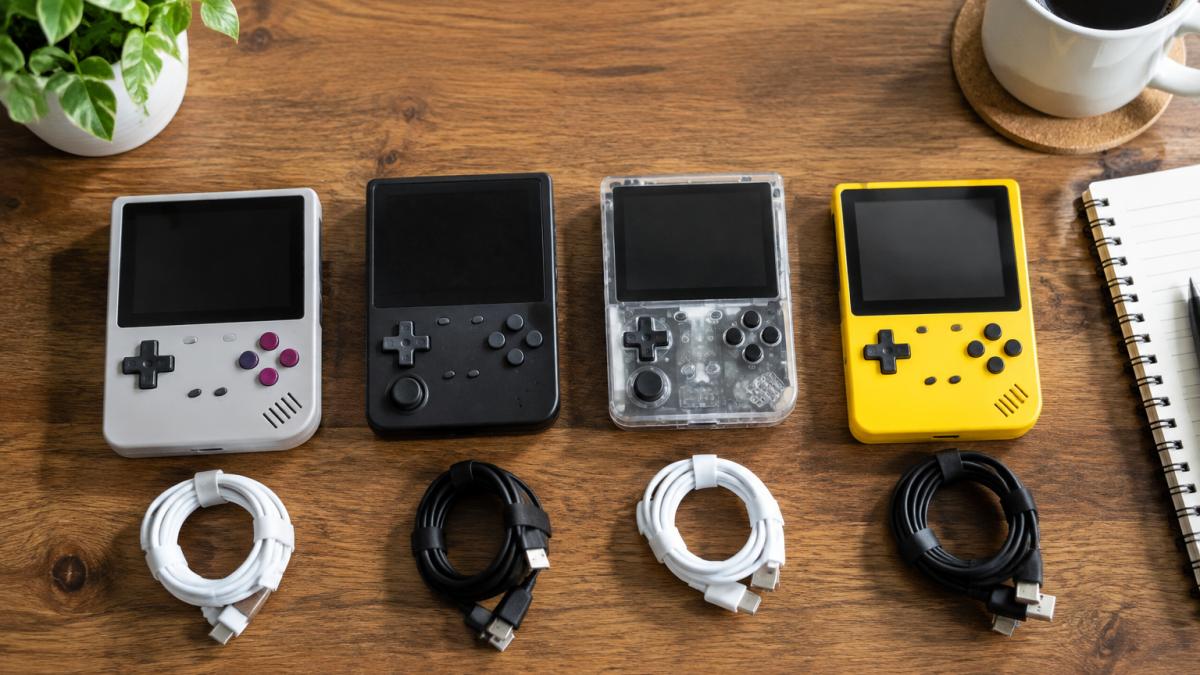
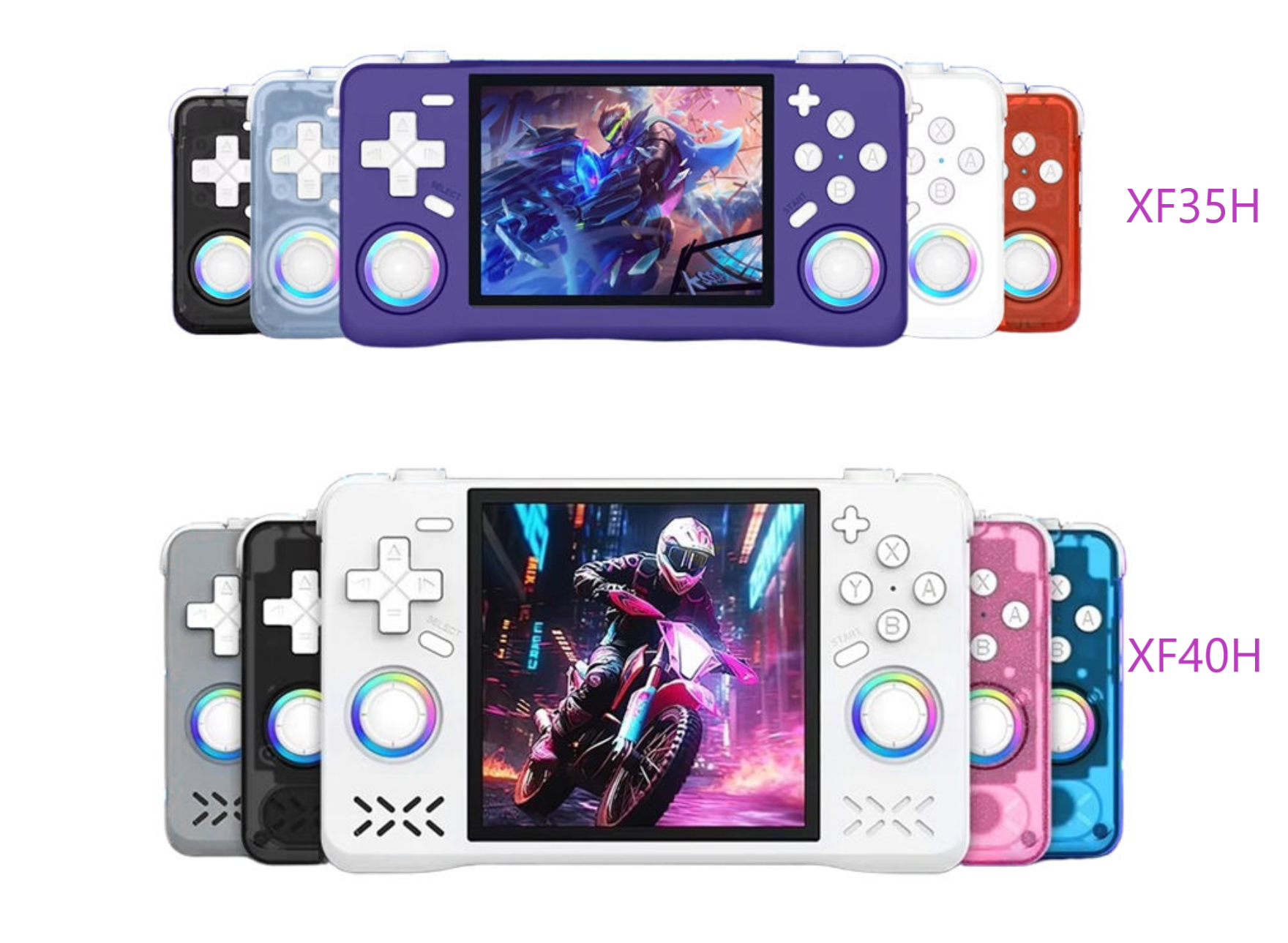
The Old Arcade Retro Handheld (XF40H/XF35H) is the pick for anyone who wants a bigger 4" screen or a compact 3.5" carry, with 18,000 to 22,000 games and a 4000mAh battery. The R36S is priced at $49.99 with up to 40,000 games. And the 4.3" EmuELEC model suits tinkerers who want to manage their own ROM library.
Specs and Price Table
| Device | Screen | Storage / Games | Price | Best For |
|---|---|---|---|---|
| R36 Ultra | 4" IPS, 720x720 | 64GB/128GB, up to 30,000 | $69.99 | Best overall |
| Retro Handheld XF40H/XF35H | 4" or 3.5" IPS | 64GB/128GB, 18,000-22,000 | $66.99 | Screen size choice |
| R36S | 3.5" IPS | 64GB/128GB, up to 40,000 | $49.99 | Best value |
| 4.3" EmuELEC Console | 4.3" IPS | 64GB, 20,000+ | $59.00 | Library management |
| M27 | Large HD | Preloaded selection | $48.46 | TV connection |
If you're weighing these specs and want a faster method, our guide on how to compare handheld specs fast walks through the numbers that actually matter.
Emulation Performance by Console Generation
Performance is the section where most buyers get surprised, because the marketing number on the box (chip name, core count, clock speed) tells you far less than how a device actually behaves per console generation. To make this comparable, we test every handheld the same way: the same ten games per generation, default emulator settings first, then one round of light tuning (frame skip off, native resolution, audio buffer adjusted), with frame rate, audio stutter, and input latency noted on a 1-5 scale. That methodology matters because a device that runs Super Mario World perfectly can still choke on a demanding N64 title, and a review that only says 'runs PS1 well' hides that difference.
Here is how the generations actually split on the hardware in this lineup.
What the chip names actually mean. The RK3326 family is the workhorse of this price bracket: it is efficient, well supported by community firmware, and predictable. Newer chips in the same class add headroom for 3D systems but do not change the 2D experience, which is already maxed out. That is why 'buy the newest chip' is weak advice for a buyer whose library is mostly 16-bit.
If you want the short version: buy for the generation you will actually play, not the biggest number on the spec sheet.
Best Budget Retro Handheld: What You Get Under $60
Several devices under $60 include an IPS screen and a preloaded library. The R36S at $49.99 has a 3.5" IPS display, 22,000 games on the 64GB version, a 3800mAh battery and eight color options.
The M27 at $48.46 offers a large screen and TV output, which suits families and casual players. Budget-focused readers who want the full spread can browse our best retro handhelds under 100 collection.
How to Add Games to a Retro Handheld
Adding games to a retro handheld is usually a matter of copying ROM files onto a microSD card and pointing the emulator at the right folder. On most Linux-based devices, you power off, remove the TF card, connect it to a computer, and drop files into the folder named for each console.
- Back up the existing card contents first.
- Create or open the console folder, such as
nesorsnes. - Copy your legally obtained ROM files into that folder.
- Eject safely, reinsert the card, and rescan the library.
- Test one game per system before adding more.
Preloaded devices skip this step. If you'd rather not manage files, a ready-to-play model is the simpler path.
Retro Handheld Emulator Legality: What Buyers Should Know
Legality depends on where the ROM comes from, not on the device itself. Emulators are generally legal to own and distribute. Downloading copyrighted game files without authorization is where the legal risk sits, and enforcement varies by country.
Understand the rules where you live before choosing a device. For a deeper look, read our article on whether retro gaming consoles are legal to buy. We're not lawyers, and this isn't legal advice.
Total Cost of Ownership and Long-Term Reliability
The sticker price is rarely the full story, and this is the section most reviews skip. A $49.99 handheld with a preloaded library and a bundled cable has no subscription, no per-game cost, and no online account requirement, over three years that is a flat cost, unlike cloud gaming services that bill monthly. But the device price is only the first line of the ownership ledger.
What actually adds to the total. The realistic extras are a microSD card if you outgrow the bundled one (cards are cheap but fail more often than screens), a case if you carry the device daily, a spare USB-C cable and charger for travel, and, for tinkerers, a second card for a custom firmware setup so you can keep the original library intact. None of these are mandatory, and that is the point: a preloaded device is close to a one-time purchase, while a bare device plus your own ROM library shifts cost and effort onto you.
Setup difficulty, rated honestly. Preloaded Linux handhelds are the easiest path: charge, power on, pick a game. Adding your own games is a copy-and-rescan job, back up the card, drop files into the folder named for each console, reinsert, rescan, but it assumes you are comfortable with file systems and legally obtained ROMs. Android-based devices add app installation and controller mapping, which is more flexible but more work. The 4.3" EmuELEC model sits at the tinkerer end: more control, more configuration. Match the setup burden to your patience, not just the spec sheet.
Accessibility and usability. Button feel, screen readability in daylight, menu clarity, and suitability for different hand sizes matter more day to day than raw power. A device that fits your hands and has a readable menu gets played; one that does not gets shelved. If you have specific mobility or vision needs, favor larger screens and clearer menus over the smallest, cheapest option.
Legal and preservation note. Legality depends on where the ROM comes from, not on the device. Emulators are generally legal to own; downloading copyrighted game files without authorization is where the risk sits, and enforcement varies by country. The safest long-term path is to use game files from your own collection where your local law allows it, and to understand the rules where you live. We are not lawyers, and this is not legal advice.
The bottom line: a preloaded handheld is close to a flat three-year cost, and the devices worth owning are the ones you can repair, update, and back up. Budget for the card and the case, confirm the warranty, and pick a model with an active firmware community.
Choosing the Right Old Arcade Handheld for You
Match the device to how you'll actually play, not to the biggest number on the box. Casual players who want a few childhood favorites should pick the R36S or M27 and stop there. Travelers who want a bigger screen should look at the XF40H. Collectors chasing PS1 and N64 should step up to the R36 Ultra.
Ready to level up? Our mid-range handhelds step up from the basics with sharper, brighter screens, stronger processors, and premium build quality. And if you have questions about a specific title or model before deciding, you can always contact our team for help with orders and product questions.
The gap between a frustrating emulator setup and a device you actually keep in your bag comes down to screen quality, battery life and a library that's ready on day one. Old Arcade curates ready-to-play handhelds with preloaded libraries, free standard shipping on orders over $60, a 30-day return policy and secure payment processing. Get started with Old Arcade and find the handheld that fits how you play.
Frequently Asked Questions
What is the best retro emulator handheld for beginners?
Beginners do best with a device that boots straight into a game library with no setup. The Old Arcade R36S at $49.99 is the simplest entry point: it arrives with 22,000+ or 40,000+ games preloaded on a stable Linux system, so you power it on and play. If you want a bigger 4-inch screen and WiFi for screen mirroring, the R36 Ultra at $69.99 adds those without adding complexity. Both skip downloads, cartridges, and configuration entirely.
How do I add games to a retro handheld?
The R36S includes a TF card slot for adding your own games. Check the file format your emulator expects (usually zipped ROMs organized by system folder), then eject the card safely before removing it.
Are retro handheld emulators legal?
The hardware itself is legal to buy and own. What matters is where the games come from: emulating titles you own a physical copy of sits in a different position from downloading ROMs you never purchased. Preloaded libraries vary by device and region, so check what your device ships with and keep your own library to games you have the right to use. This is general guidance, not legal advice for your jurisdiction.
Can one retro handheld play games from multiple consoles?
Yes. Multi-emulator support is the main reason to buy one. The R36 Ultra covers NES, SNES, Game Boy, Game Boy Color, GBA, Sega Genesis, PS1, N64, PSP, NeoGeo, Dreamcast, and 20+ other platforms on a single device. The 4.3-inch model runs NES, SNES, Genesis, Game Boy, GBA, PS1, and arcade titles through EmuELEC. One handheld replaces a shelf of original consoles and their cartridges.
Is a budget retro handheld good enough for PS1 and N64 games?
The $49.99 R36S uses an RK3326 processor. The R36 Ultra, priced at $69.99, pairs the same CPU family with a Mali-G31MP2 GPU and 1GB RAM.


